Automated testing is a key trend in software development. The growth of mobile applications has already surpassed that of PC-based applications. Therefore, implementing mobile automation testing is essential.
Record-and-Playback Tools vs. Test Scripts
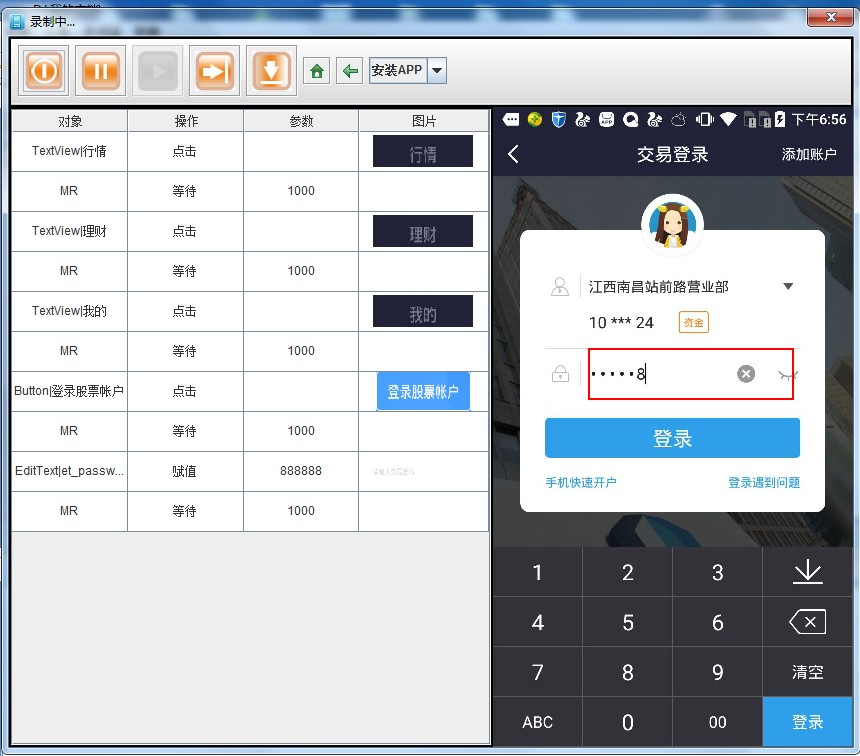
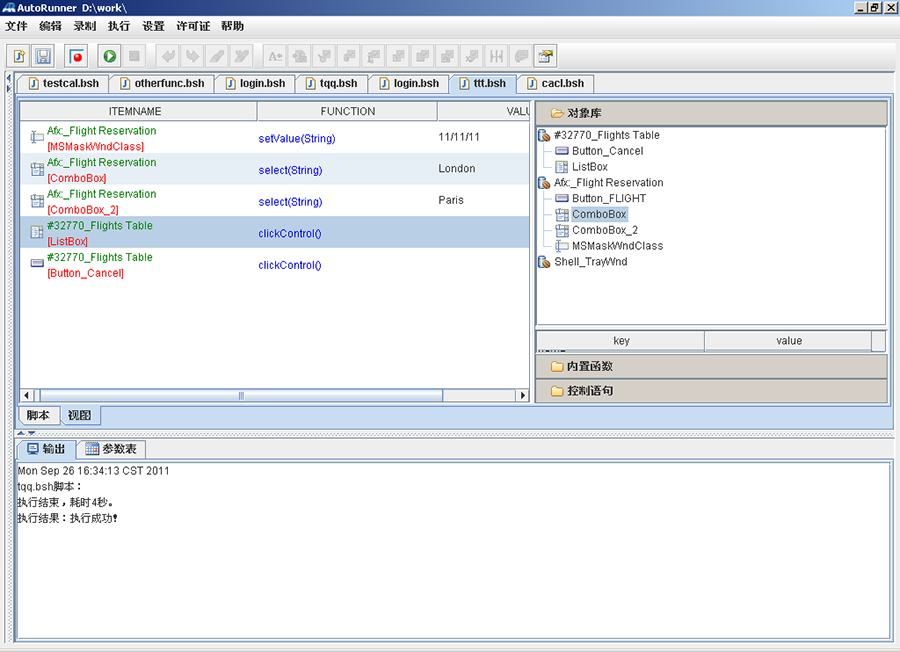
Generate automated test scripts through recording:
Parameterization: Enables the same script to execute with different datasets and test cases by parameterizing input values.
Test Script: Defines the complete testing process. Keyword-driven scripts simplify the transition from manual to automated testing without requiring in-depth knowledge of complex programming languages.
Expert View: Allows direct scripting of complex business logic—such as interest calculation, fee computation, and validation rules—for advanced test automation.
The recording tool supports both iOS and Android operating systems.
Supports various application types including mini-programs, native mobile apps, and H5 web applications.
Special Capabilities and Advanced Handling.
Supports string input simulation.
Supports secure keyboard input (e.g., for password fields or financial apps).
Supports OCR (Optical Character Recognition) technology for detecting and interacting with on-screen text.
Supports image similarity comparison technology for visual validation and UI element recognition.
Design test cases based on test data templates
Based on data templates, model-driven test case design tools enable automation in test case creation.
Primarily involves rule definition and orthogonal array-based data algorithms.
Test Tool as a Service (TTaaS)
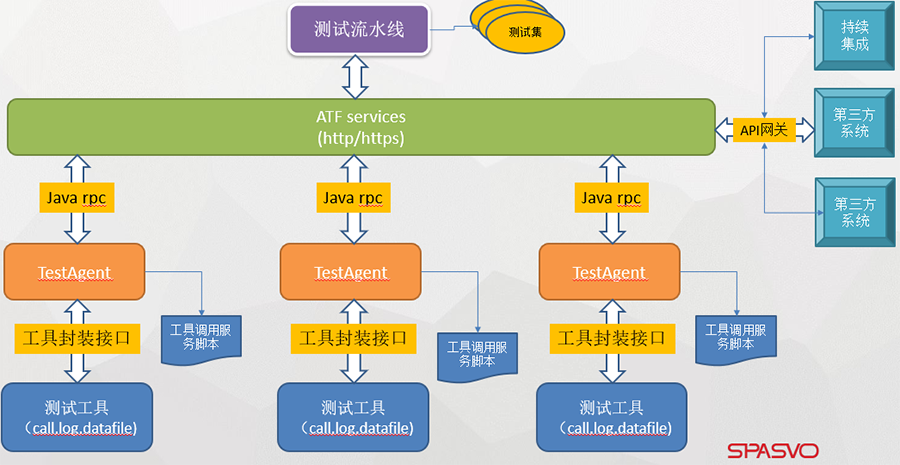
The automation testing platform provides a framework that supports multiple testing tools, enabling test capabilities to be containerized as individual services and exposed to external systems via APIs.
Batch Execution Framework
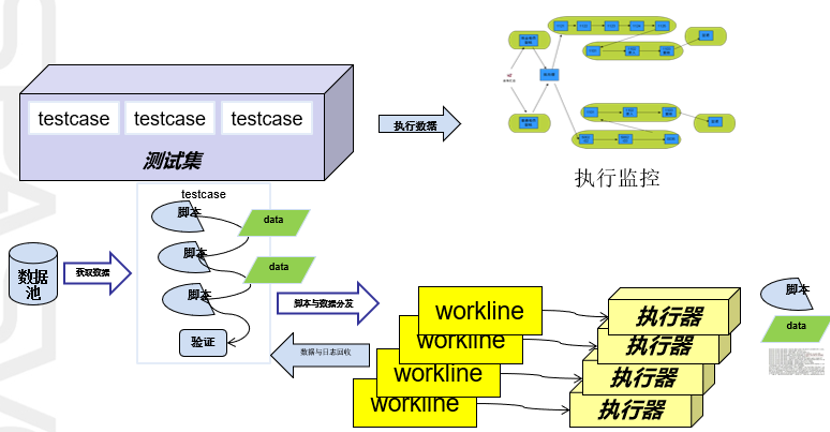
Execution Framework, Supporting:
Automated Distribution and Execution of Test Cases.
Scheduled Execution and Recurring (Periodic) Execution.
Batch Execution Across Projects.
Test logs capture detailed test steps, enabling precise error localization—especially for test cases involving multiple transactions or functional flows.
Automated Test Reporting
Supports comprehensive statistical analysis reports, including total requirements count and traceability, pass/fail statistics, and success rate percentages.
Number of Test Cases and Percentage of Passed Executions.